
Starting out in affiliate marketing, figuring out what’s working (and what’s not) can feel overwhelming. I’ve run into my fair share of confusing dashboards and tracking links that led nowhere, so getting a handle on tracking and optimizing affiliate campaigns early saved me from a lot of wasted time and effort. This guide shares practical strategies, tools, and advice I rely on to keep things running smoothly and grow commissions.
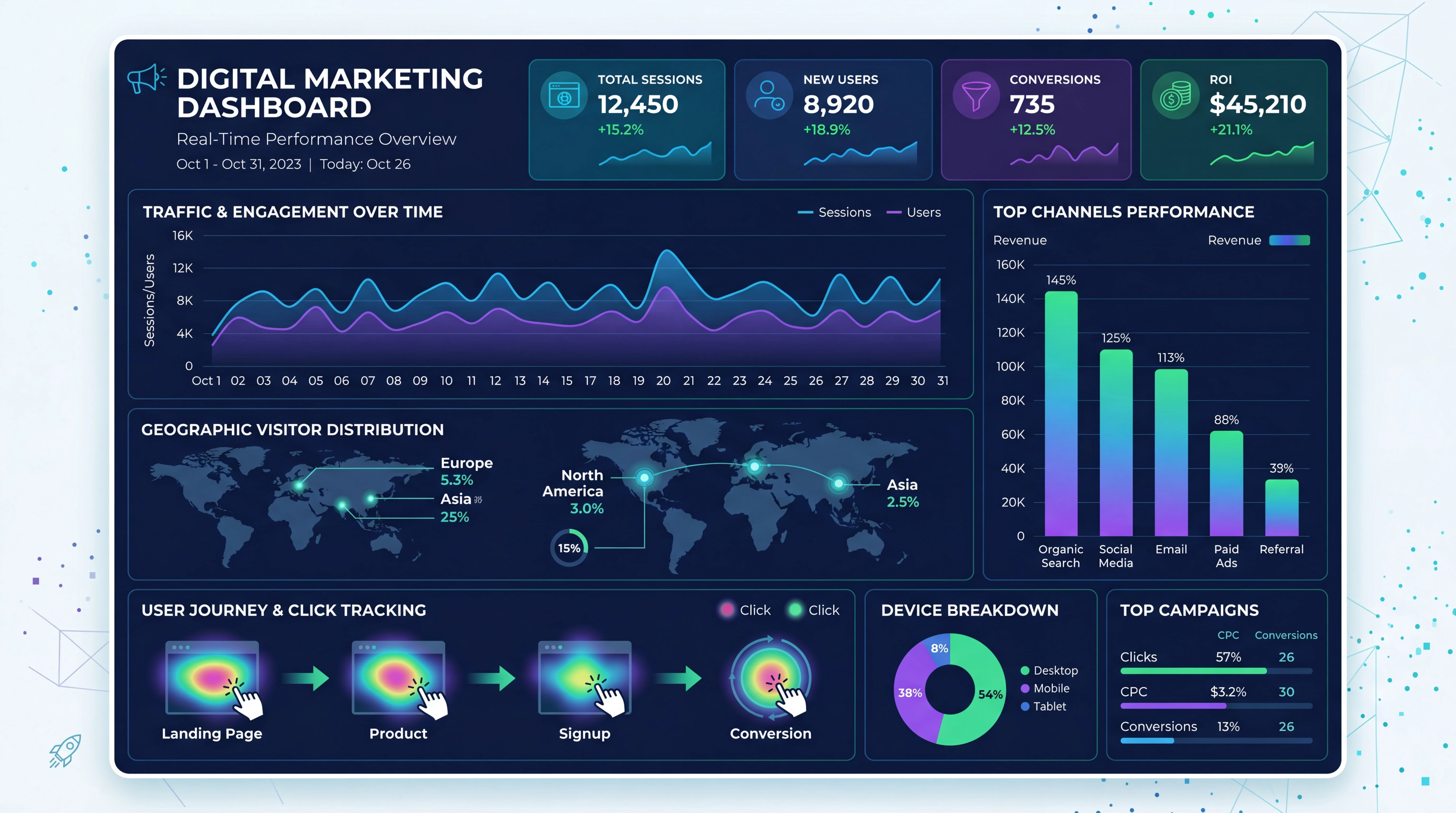
Why Tracking and Optimizing Affiliate Campaigns Matters
Most affiliate programs pay out only when someone actually clicks your link and takes action, like making a purchase or signing up. Without solid tracking in place, there’s no way to know what offers or content are earning you money. Tracking isn’t just about knowing your numbers; it helps you learn which strategies are worth your time, and it gives you the insight needed to do more of what’s working.
Optimization takes it a step further. By using the data you collect, you can tweak your campaigns, try new ideas, and stop wasting energy on things that just aren’t producing results. This ongoing process is where I’ve seen affiliate earnings really start to grow.
With a proper tracking system, you can measure performance, compare different types of content, and understand the behaviors of your audience. For example, knowing which version of a landing page brings more sales lets you focus on what’s profitable. Small adjustments can add up to a noticeable boost in your commissions. If you track regularly, you’ll notice recurring patterns and can quickly adapt to changing trends—helping you stay ahead in the competitive affiliate space.
How Affiliate Tracking Works
Affiliate tracking relies on a mix of special links and analytics. When someone clicks your affiliate link, a tiny bit of data tags along, usually a “cookie” or unique ID. If that person completes a qualifying action, the sale or lead gets credited to you. Most affiliate networks and programs offer their own dashboards showing clicks, conversions, and commissions earned.
Here are the basics I always keep in mind:
- Affiliate Links: Unique URLs that track who sent the visitor or lead. These are provided by networks such as Amazon Associates, ShareASale, CJ Affiliate, and plenty of others.
- Cookies: Small pieces of data that remember a user’s activity for a set period (like 1, 7, or 30 days). If they buy within this window, you get credit.
- Dashboards/Reports: Most programs show real-time or daily updates with clicks, sales, and earnings. This is your source of truth for campaign performance.
Some networks even offer advanced tracking tokens, custom parameters, or server-to-server (postback) tracking for more technical setups. For most affiliate marketers, using the unique link and reviewing the program dashboard covers what you need.
Affiliate tracking isn’t just for big websites. Even if you are running a small blog or starting your first campaign, understanding how each click and sale is tracked makes it much easier to scale up later. Knowing where your conversions come from helps eliminate any guesswork—so you can focus on growing quickly and sustainably.
Common Affiliate Tracking Methods
The tracking methods you’ll run into most in affiliate marketing are cookiebased and subID tracking. These methods are simple and widely supported, so they’re what I lean on for most campaigns:
- Cookie Tracking: When someone clicks your affiliate link, a cookie gets dropped in their browser. If they convert before the cookie expires, you’re credited for the sale. The cookie window varies a lot, sometimes just 24 hours, other times 30 days or even longer.
- SubID Tracking (Parameter Tracking): Many affiliate links let you add custom identifiers (subIDs) to track exactly where a click or sale came from. For example, different blog posts, ads, or even email campaigns. This extra data helps you spot which content is actually driving revenue.
- Coupon Tracking: Some programs use unique coupon codes instead of or alongside links. When a customer uses your code, it’s tagged to your account.
Most affiliate marketers stick with cookie and subID tracking because they don’t require any fancy tools but give plenty of useful insight. If you want to get into more detail, tools like Voluum or ClickMagick take things up a notch, but that’s optional if you’re getting started.
Keep in mind, tracking technology keeps evolving. Some networks now use fingerprinting or crossdevice matching, particularly as browser privacy rules change. If your campaigns reach audiences on mobile and desktop, knowing which tracking methods your network uses helps you adjust your strategy effectively.
Organizing and Keeping Track of Affiliate Programs
Staying organized is really important for tracking performance across different affiliate programs. Over time, it’s easy to lose track of all the links, logins, and dashboards. Here’s my system for managing it all:
- Central Spreadsheet: I keep an up-to-date Google Sheet listing each affiliate program, login info (safely), link generator URLs, payout thresholds, cookie windows, and contact details. One quick glance and I know where everything stands.
- Bookmark Folders: Save login pages for each network in browser folders, organized by niche or site if you manage several, so you’re not digging through old emails every time you need to check earnings or grab a link.
- Regular Checkins: At least once a week, I pop into each affiliate dashboard to track clicks, signups, and commissions. It helps spot broken links, sudden drops, or new opportunities before they get missed.
Affiliate managers often send updates on terms, payout changes, or promotional resources, so I always keep an eye on my inbox for important news.
As you work with more programs, it’s helpful to colorcode or tag your spreadsheet based on performance—mark top earners in one color, or highlight programs with short cookie periods to remind yourself to prioritize them. This small habit saves time and helps you stay on top of changes.
How to Optimize Affiliate Marketing Campaigns
Optimization is where affiliate campaigns really start earning consistent money. It means making databacked adjustments to your content, offers, and promotion channels so you get more conversions with less wasted effort. I break this down into a few basic strategies:
Focus on TopPerforming Content
Check your analytics, like Google Analytics for your website or your affiliate dashboard, to see which posts, pages, or traffic sources are driving the most clicks and sales. It’s worth doubling down on these hot spots, adding more affiliate offers or related content where you’re already seeing results. This is a live example of the 80/20 rule in affiliate marketing: a small percentage of your content likely drives most of the revenue.
If you find that certain product roundups or tutorials consistently attract attention, consider supplementing them with video demonstrations or downloadable guides. This boosts your authority and encourages your audience to trust your recommendations.
Experiment and Test Offers
I try swapping affiliate products, updating calltoaction buttons, or trying new content formats like comparison tables or video demos. Running simple AB tests, such as two versions of a product review, reveals which layout or messaging style connects best with my audience. I always leave a test running for at least a week to pick up enough data for a fair comparison.
Don’t be afraid to experiment with seasonal offers or limited time promotions, either. Tracking the performance of these special campaigns can teach you what resonates during different times of the year, which lets you plan ahead for bigger conversions.
Use SubID Tracking for Segmentation
This little trick makes a big difference. By tagging different sources or content pieces with unique subIDs in your affiliate links, you get data on exactly which email, landing page, or ad is converting. I check these numbers regularly and boost promotion on what’s working, or cut out underperforming sources.
You can even drill down by platform—see whether Instagram or your email list moves more traffic, and then adjust your promotion strategy accordingly.
Optimize for Mobile and Speed
Most visitors are clicking from a phone these days. I always check that affiliate links and landing pages load quickly and look good on mobile. Broken links or slowloading sites kill conversions, so a quick click test from my own phone helps spot problems before my audience does.
If your content management platform (such as WordPress) supports mobile previews, use them to check how your affiliate banners, buttons, and calls to action appear on a small screen. Make sure buttons are large enough to tap and that text reads easily without zooming in.
Update and Refresh Old Content
Google values fresh information, and so do readers. I review older posts or email campaigns monthly to check for expired offers or outdated information and swap in better or newer affiliate deals. This easy tweak keeps the money flowing without needing brandnew content every week.
Set a recurring reminder to go through your most popular posts, review their affiliate links, and update any stats, screenshots, or recommendations. Not only does this keep your content relevant, but it can also give your search rankings a gentle upward push since Google rewards updated info.
Applying the 80/20 Rule in Affiliate Marketing
The 80/20 rule (Pareto principle) says that about 80% of your results usually come from 20% of your efforts or content. In affiliate marketing, this often means a few posts, videos, or channels drive most of the clicks and sales. I look for these winning pieces with my analytics and switch more energy toward them, doubling down with extra promotion or extended reviews. At the same time, I cut back on lowperforming campaigns, so I spend less time spinning my wheels.
This approach saves me from burnout and ramps up results fast. If you’re just starting out, tracking your topperforming assets for a couple of months can reveal which strategies really pay off.
To make the most of the 80/20 principle, schedule regular reviews of your traffic and earnings reports. Find the top landing pages and content types and brainstorm related topics. Replicate winning approaches on similar topics and test new formats such as webinars or podcasts for added reach. By honing in on your most successful content, you gradually increase your overall income without burning out on lowreturn projects.
Useful Tools and Platforms for Affiliate Tracking
There are loads of tools out there, but here’s what I find works for most daytoday affiliate campaign tracking and optimization:
- Affiliate Dashboards: Most networks like Amazon Associates, Rakuten, and Impact give a breakdown of clicks, conversions, and payouts right in their dashboards.
- Google Analytics: Tracking pageviews, referral traffic, and events helps connect affiliate performance with your actual content.
- UTM Parameters: These are codes you add to URLs to track link clicks in detail. If you’re running email newsletters, ads, or social media promos, this is super helpful.
- Link Shorteners: Bitly, TinyURL, Pretty Links (for WordPress) let you clean up affiliate links and often track clicks. Some also let you organize by campaign or source.
- Advanced Trackers: Tools like Voluum, ClickMagick, or ThirstyAffiliates automate a lot of advanced tracking, splittesting, and reporting for larger or paid campaigns.
No need to start with every tool at once; pick the one that fits your workflow, and add more only when you outgrow basic tracking dashboards. If you ever manage multiple sites or have a growing email list, moving up to a dedicated affiliate tracker can make handling links and analyzing data much easier. For example, ClickMagick allows you to import data from various sources, giving a fuller view of your results without too much hassle.
Tips for Ongoing Campaign Optimization
Getting better affiliate marketing results isn’t a setitandforgetit deal. Here’s what I keep in mind as I keep campaigns running:
- Review Results Regularly: I look at campaign stats at least once a week and monthly for in-depth trends. These reviews help catch early signs of what’s working and what needs adjusting.
- Turn Off Dead Weight: Pausing or updating campaigns/products that haven’t earned in weeks frees up time for what’s producing results.
- Reinvest Wisely: If one campaign or content format is taking off, I’ll create more around that topic or audience segment while still testing new ideas here and there.
- Listen to Feedback: Comments, shares, and emails from readers often clue me in on what types of affiliate offers to focus on or drop.
Optimization is where affiliate marketing changes from hoping for clicks to building a system that produces commissions consistently over time. Participating in forums and group chats where marketers share their optimization tips can also help you stumble upon new tactics faster. Don’t hesitate to check in with your affiliate manager for extra tips—they sometimes know about upcoming deals or features before they’re announced.
Frequently Asked Questions
Tracking and optimizing affiliate campaigns can raise a lot of questions, especially if you’re new to the game. Here are some common ones I get, along with answers based on my own experience.
How do I optimize affiliate marketing campaigns?
Focus on topperforming pages and channels, test different offers and calls to action, use subID or UTM tracking to segment results, and keep your content fresh and mobilefriendly. Optimization is about using the data you gather to boost what’s working and drop what isn’t.
What is the 80/20 rule in affiliate marketing?
It’s the idea that a small portion of your efforts (usually the top 20% of pages or campaigns) typically generates most of your results (around 80% of revenue or leads). Identifying and focusing on your biggest winners helps maximize earnings with less wasted energy.
How do I keep track of affiliate programs?
I use a simple spreadsheet to organize program names, logins, link generators, payout terms, cookie lengths, and other key info. Bookmarking dashboards and checking stats weekly keeps everything tidy and helps me spot changes or opportunities quickly.
Which tracking method is commonly used in affiliate marketing?
Cookiebased tracking is the most common, tagging users who click your links so sales get credited back to you. Many programs also support subID or parameter tracking, so you can see where exactly a conversion came from, like a certain blog post or email. These simple methods cover most affiliate needs without technical headaches.
Bringing It All Together
Tracking and optimizing affiliate campaigns isn’t something you only tackle once. Staying organized, gathering useful data, and making regular tweaks are what keep the commissions coming. Whether you’re just starting or you’re ready to take your campaigns up a notch, getting comfortable with your tracking methods and making small, smart adjustments along the way leads to more reliable and growing affiliate income. The process gets easier, and more fun, as you see what works for your audience and style. Stick with it, stay curious, and you’ll find success with time and persistence.